Slope stability
JSlope
Assess slope stability and compare design options.
- Find critical slip surfaces and factors of safety.
- Compare groundwater, loading and reinforcement cases.
- Cut sections from 3D terrain, with no mining CAD.
Geotechnical analysis
A suite of Civil and Mining Geotechnical tools. Built by engineers, for engineers, to streamline their work in production environments.
Free during early access. Help shape the tools by sharing feedback.
Example readout. Drag it, or use the arrow keys, to move it.
Products
Each tool answers a specific ground engineering question, from the critical slip surface to where falling rock comes to rest.
Slope stability
Assess slope stability and compare design options.
Rockfall and runout
Assess where falling rocks and failed material could travel.
Rock slope kinematics
Interpret joint orientations and assess rock slope failure modes.
Rock wedge stability
Assess rock wedges and planar failures, then compare support options.
Rock strength and lab data
Fit strength parameters to test data and compare failure envelopes.
Geological mapping
Map discontinuities on textured rock surfaces and interpret their orientations.
Radar monitoring coverage
Compare radar positions and identify visible ground, blind spots and displacement sensitivity.
3D voxel-based runout
Map potential failure masses and inspect their simulated deposition on terrain.
How engineers use it
The same four steps whether you are checking a road cut, a pit wall or a rockfall barrier.
Draw the section or cut it from 3D terrain in JSlope, with no mining CAD step, then assign materials and groundwater.
Search for the critical slip surface, trace rockfall paths or check kinematic failure modes, on your workstation or in the cloud.
Run design cases side by side: groundwater, loading, reinforcement, berms and barriers.
Print the views and tables that document the decision for review.
JSlope in use
Draw the geometry, assign materials and groundwater, then review the critical surface and compare design cases without leaving the viewport.
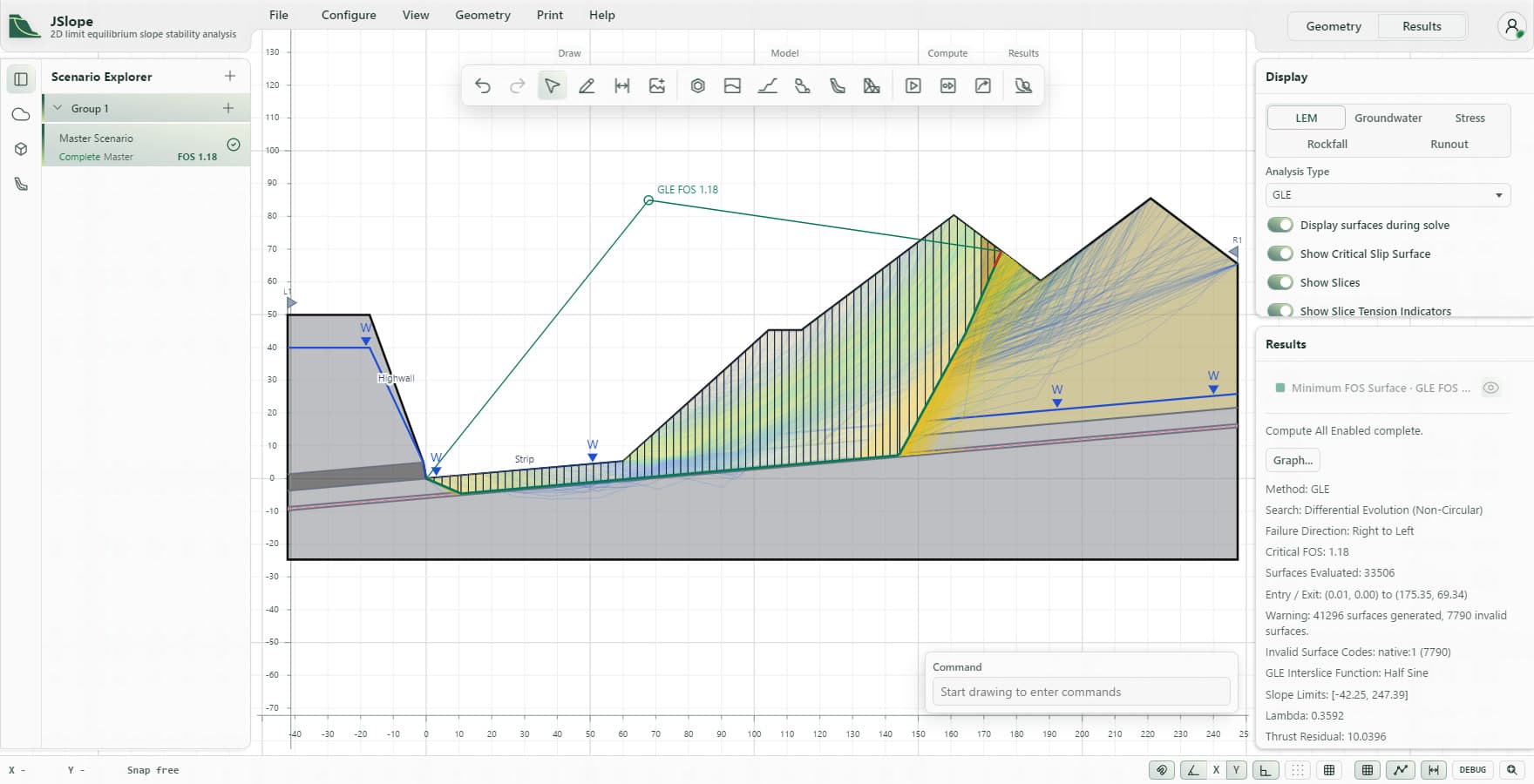
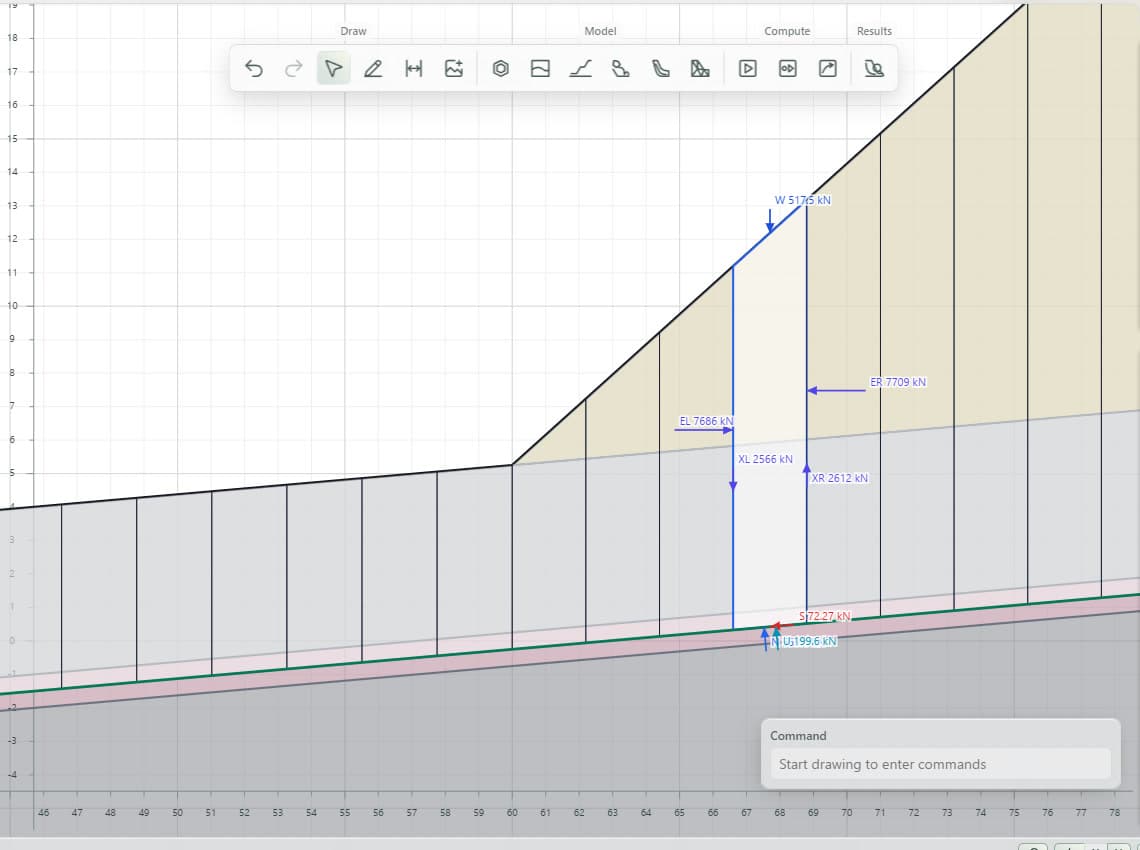
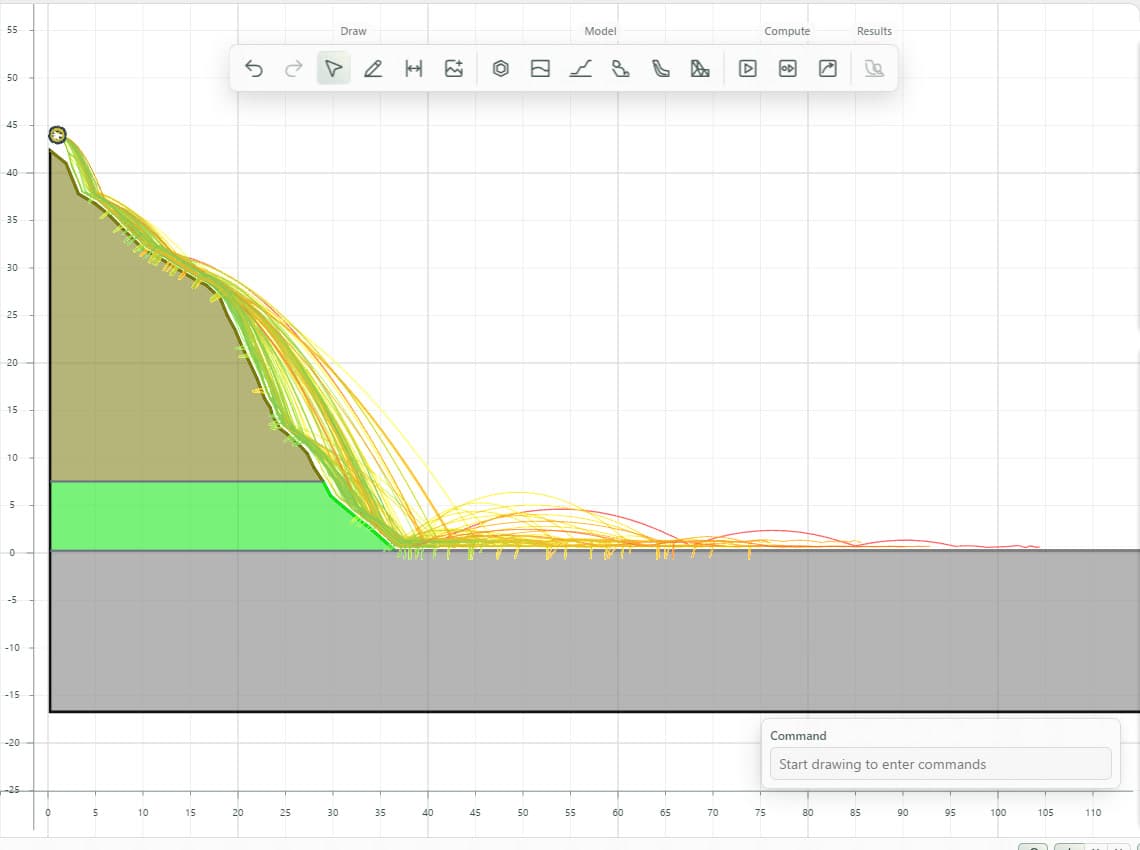
Screenshots from JSlope with example models.
JSlope 3D import
Place imported terrain on the globe, cut sections where they matter, and review each analysed section on its plane in the terrain.
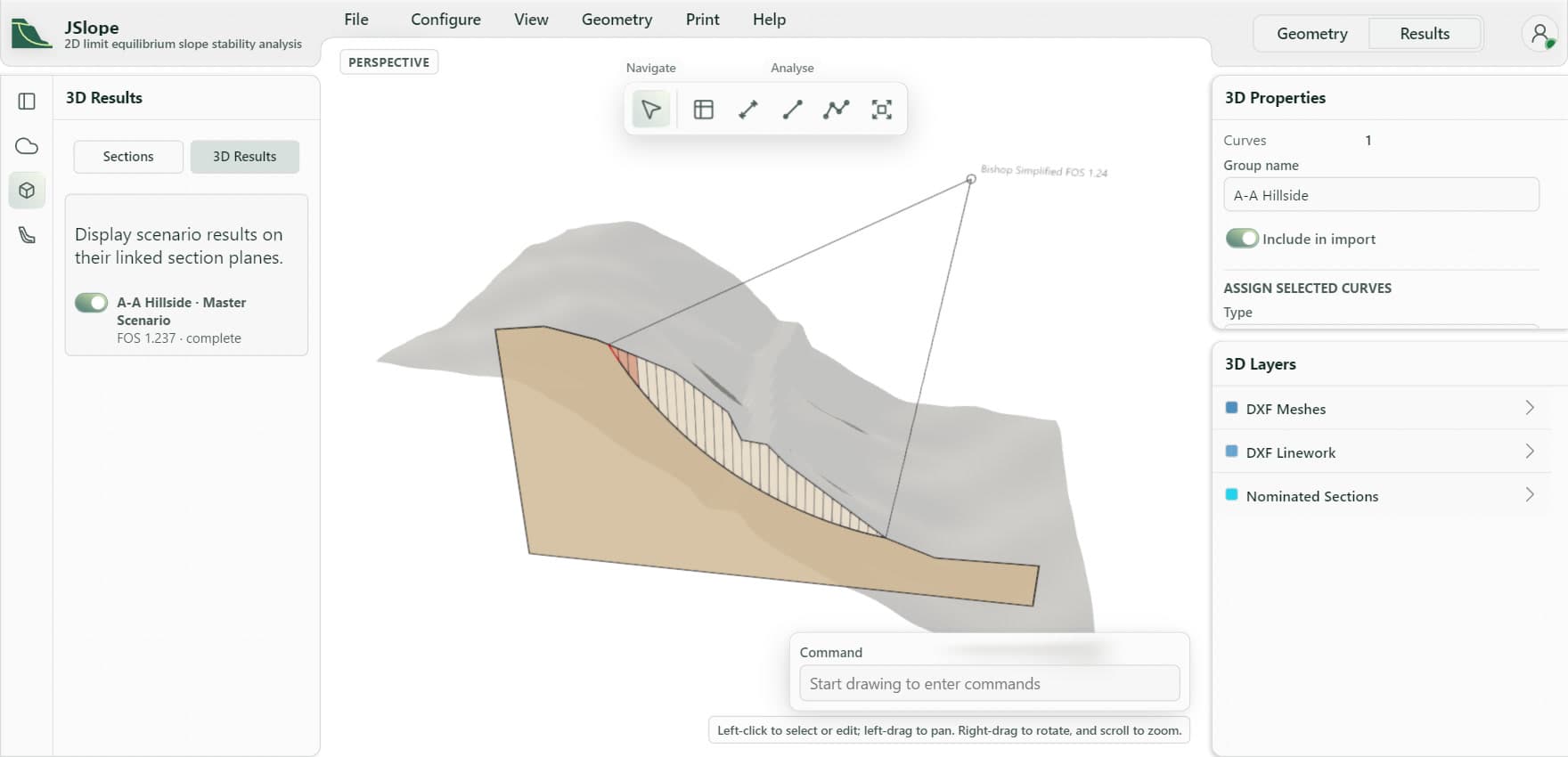
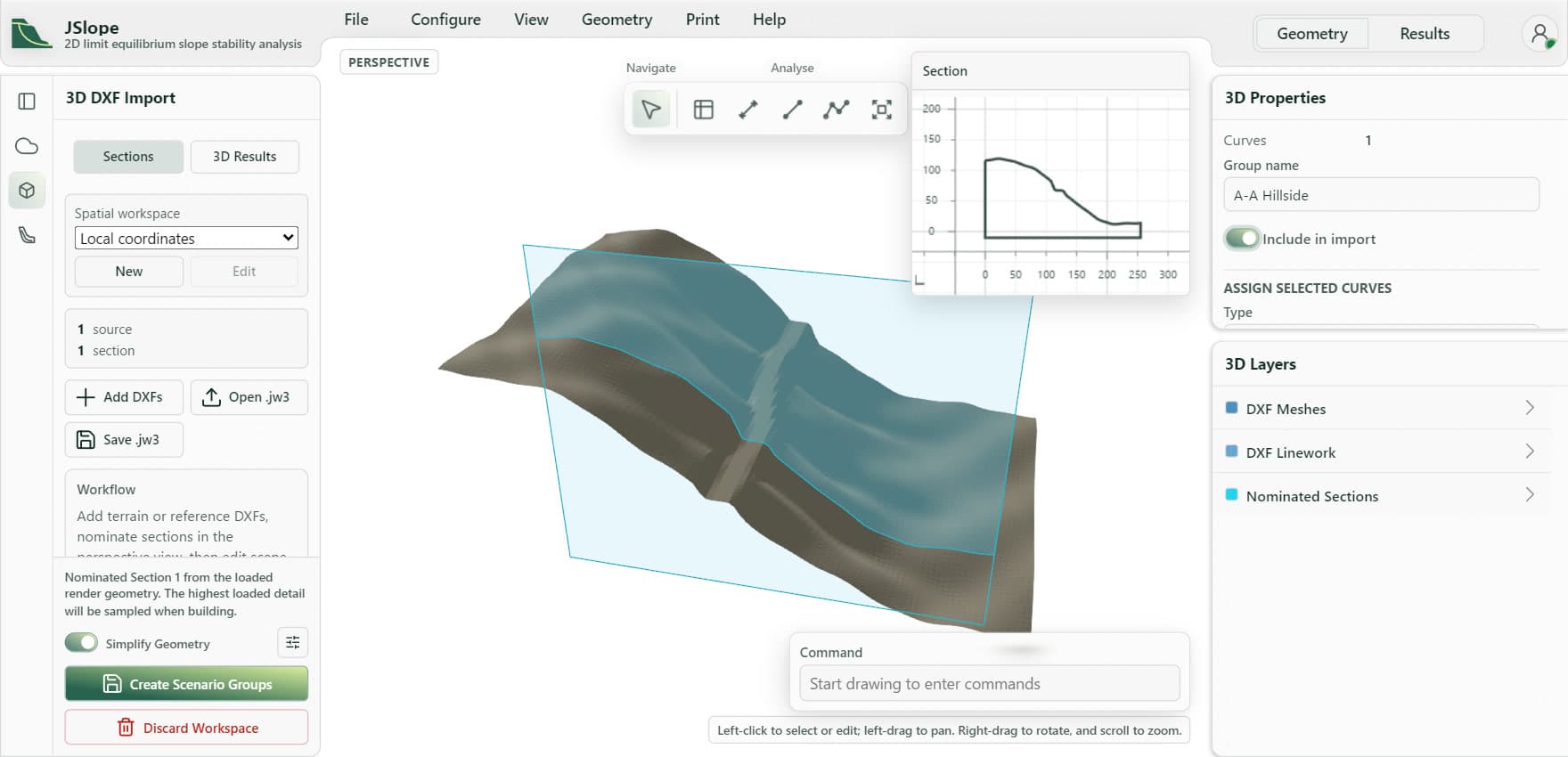
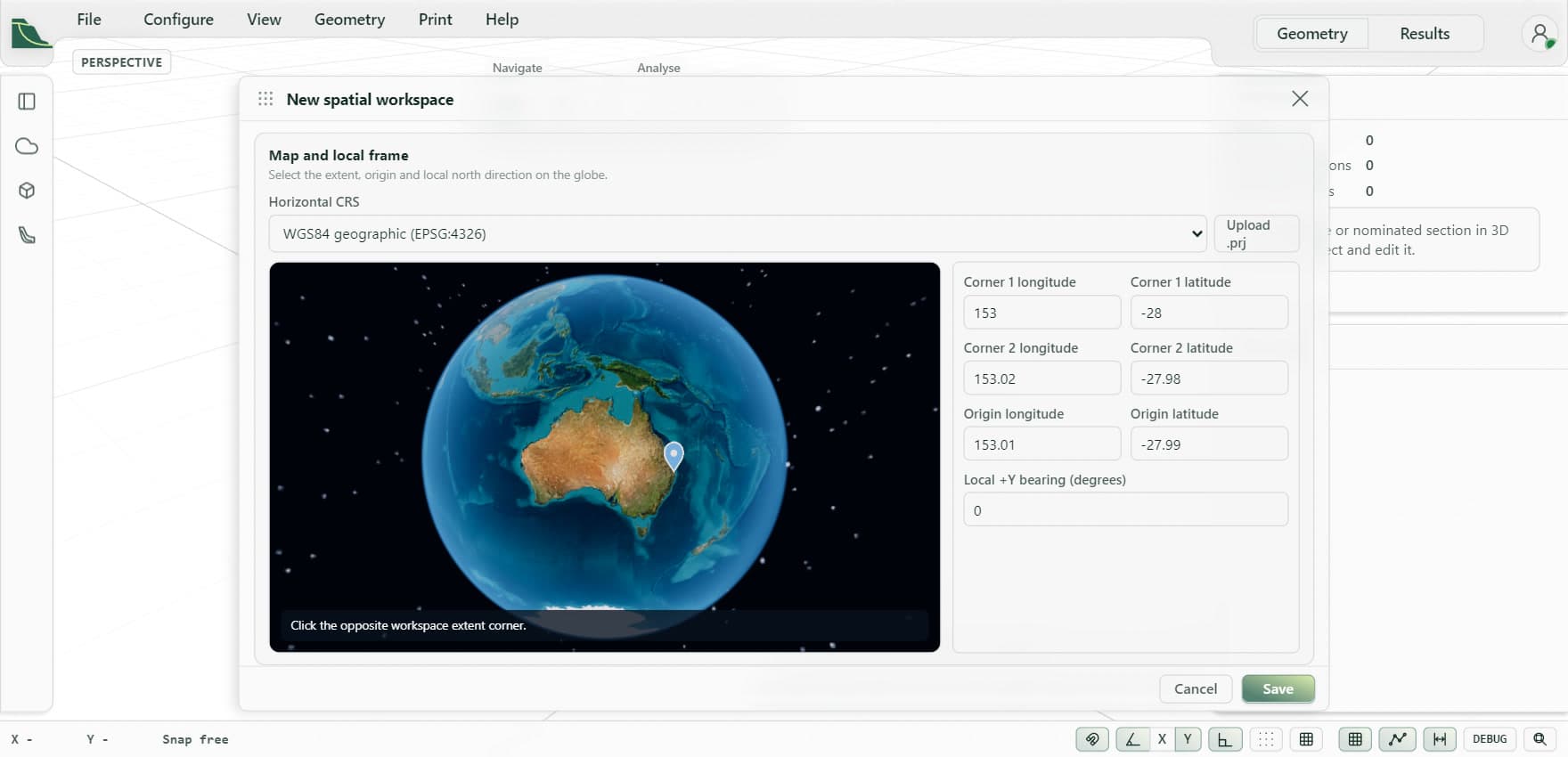
Screenshots from JSlope with example models.
Get started
Open dashboard to build a model, or read the documentation for each tool.